
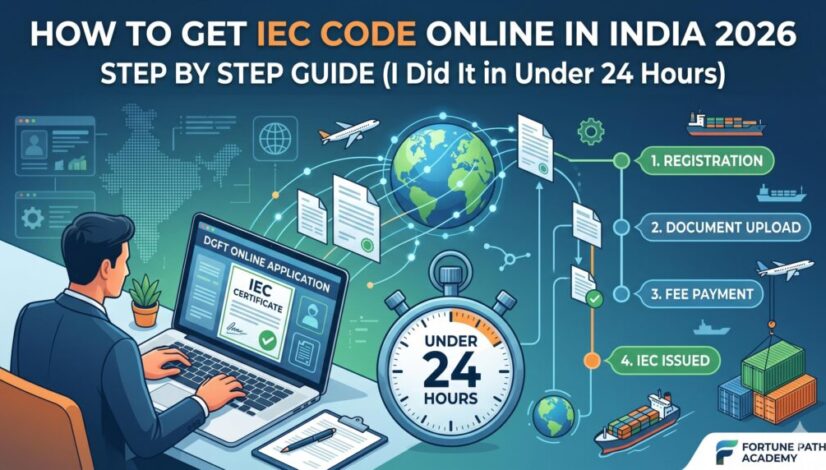
How to Get IEC Code Online in India 2026 — Step by Step Guide (I Did It in Under 24 Hours)
Before Moon Global Traders shipped its first consignment of Moong Dal to an overseas buyer, I needed three things: a registered company, a bank account, and an IEC code. The company and bank account took weeks. The IEC code? I had it in my inbox by the next morning. This guide is what I wish someone had given me before I sat down at that DGFT portal for the first time.
- What is an IEC code and do you actually need one?
- Important 2026 updates — read before you apply
- Documents you need (complete checklist)
- Step-by-step application on the DGFT portal
- What to do immediately after getting your IEC
- The annual update rule that deactivates your IEC
- Mistakes that get applications rejected
- Frequently asked questions
What is an IEC code and do you actually need one?
IEC stands for Importer Exporter Code. It is a 10-digit number issued by the Directorate General of Foreign Trade (DGFT) under India’s Ministry of Commerce. Think of it as your business’s passport for international trade — without it, Indian customs will not clear your shipment and Indian banks will not process incoming foreign currency payments for export transactions.
The number itself is simple: your IEC code is the same as your PAN number. The DGFT has aligned IEC with PAN since 2020. You are not generating a new number — you are formally registering your PAN with the DGFT as an active importer or exporter and getting an official certificate that says so.
Do you need one? If you fall into any of these categories, yes:
- You want to export goods from India to any country
- You want to import goods into India from any country
- You want to receive international payments for exported goods (your bank requires it)
- You want to avail government export incentives — EPCG, RoDTEP, DGFT schemes
- You want to sell on international e-commerce platforms like Amazon Global or eBay
- You are a manufacturer exporting your own products
You do not need an IEC if you are importing or exporting goods strictly for personal use with no commercial intent. That exemption covers almost nobody reading this article.
Important 2026 updates you must know before applying
The IEC process has changed meaningfully in the last 18 months. If you are reading a guide written before March 2025, some of the information may be outdated. Here is what has changed:
📌 2025–2026 changes to the IEC process1. No DSC required for proprietors (effective March 2025): If you are applying as an individual or sole proprietor, you no longer need a Digital Signature Certificate. Your application can now be authenticated using Aadhaar-based OTP e-sign. This is faster, cheaper, and removes a major friction point for first-time applicants.
2. Aadhaar e-KYC is now mandatory for proprietors: From January 2025, all individual and proprietorship applicants must complete Aadhaar-based electronic KYC verification during the application. Have your Aadhaar-linked mobile number ready.
3. IEC is now auto-linked with ICEGATE: Once your IEC is issued, it is automatically linked with the Indian Customs EDI Gateway (ICEGATE) for faster customs processing. You still need to separately register on ICEGATE before your first shipment, but the IEC linkage happens automatically.
4. Annual update is now mandatory — not optional: Every year between April 1 and June 30, you must log into the DGFT portal and confirm or update your IEC details. Even if nothing has changed. If you skip this, your IEC is deactivated. (Full details in the Annual Update section below.)
Documents you need — complete checklist by entity type
The documents required depend on what type of business entity you are registering under. Get these ready in scanned digital format before starting the portal — JPG or PDF, each file typically under 1 MB.
| Document | Proprietorship | Private Ltd / LLP | Partnership Firm |
|---|---|---|---|
| PAN card of entity (or individual for proprietorship) | Required | Required | Required |
| Aadhaar card of proprietor/authorized signatory | Required | Required | Required |
| Cancelled cheque OR bank certificate with account number and IFSC | Required | Required | Required |
| Business address proof — rent agreement / utility bill / property tax receipt | Required | Required | Required |
| Certificate of Incorporation / Company PAN | Not needed | Required | Not needed |
| Partnership deed | Not needed | Not needed | Required |
| Digital Signature Certificate (DSC) | Not needed from March 2025 | Required for Pvt Ltd/LLP | Optional |
Step-by-step: applying on the DGFT portal
The entire application happens at dgft.gov.in. Do not use any third-party website or agent for this — the government portal is free except for the ₹500 fee and the process is straightforward if you follow the steps below.
Go to dgft.gov.in. Click Login in the top right → then Register.
Select user type: Importer/Exporter.
Enter your PAN number, a valid mobile number (must receive OTP), and your email address. Verify both via OTP. Set a strong password.
Once registered, log in with your new credentials.
After logging in: click Services in the top menu → IEC → Apply for IEC.
Click Start Fresh Application. This opens Form ANF-2A — the official IEC application form. Some fields will auto-populate from your PAN data. Do not change the pre-filled PAN information.
You will fill in the following sections:
Entity details: Your firm/company name exactly as registered. Business type (Proprietorship, Private Limited, LLP, Partnership etc.). For Private Limited companies — your CIN number.
Registered address: Must match your address proof document exactly. Include PIN code.
Director/Partner details: PAN, full name, date of birth, residential address of all directors or partners.
Preferred export sectors: Select the categories most relevant to your business (Agriculture, Textiles, Machinery, Services, etc.). You can select multiple. This does not restrict what you can export — it is just for DGFT data purposes.
Bank account details: Account number, IFSC code, bank name, and branch. The account holder name must match your firm name exactly.
The portal will prompt you to upload the required documents at this stage. Upload scanned copies in JPG or PDF format. Each file should be clear and legible — blurry uploads are a common rejection reason.
For proprietors from March 2025: When you reach the digital signature/authentication step, choose Aadhaar e-sign via OTP. An OTP will be sent to your Aadhaar-linked mobile number. Enter it to authenticate. No DSC needed.
For Private Limited companies and LLPs: You still need your DSC (Digital Signature Certificate) at this step. Insert your USB token and follow the portal’s DSC authentication steps.
After document upload, the portal takes you to the payment page. The fee is ₹500 — pay via net banking, UPI, debit card, or credit card. Keep the payment receipt / transaction reference number.
Once payment is confirmed, your application is formally submitted. You will receive a confirmation on your registered email.
For clean applications with all documents correct, IEC is typically issued within 1 to 3 working days. Many are processed within 24 hours. You will receive an email notification when it is ready.
To download: log into the DGFT portal → Services → IEC → Print IEC. Your IEC certificate includes a QR code that can be used to verify its authenticity.
Your IEC number will be the same as your PAN. The certificate is what proves you are registered.
What to do immediately after getting your IEC
Getting your IEC is step one — but it is not the only step before your first shipment. Here is what needs to happen next so you are operationally ready to export:
1. Register on ICEGATE
ICEGATE (icegate.gov.in) is the Indian Customs Electronic Data Interchange Gateway — the portal where you file all customs documents electronically. Your IEC is now auto-linked with ICEGATE, but you still need to create a login on the ICEGATE portal and complete your registration there. Without ICEGATE access, you cannot file a Shipping Bill (required to export any goods from India).
2. Complete AD Code registration at your customs port
AD Code (Authorised Dealer Code) is your bank’s identification code registered with the customs authority at the specific port, airport, or ICD (Inland Container Depot) where you will clear your goods. This links your bank account to the customs system and is needed to receive export proceeds. Visit your bank branch, tell them you need AD Code registration for exports, and they will guide you through it. Different ports require separate AD Code registrations.
3. Get GST registration if you don’t have it
All exporters must be GST registered. Exports are zero-rated under GST — meaning you do not charge GST on your export invoice — but you need a GSTIN to file the shipping bill and claim input tax credit refunds on the GST you paid on raw materials or inputs.
4. Register with the relevant Export Promotion Council (RCMC)
RCMC stands for Registration-cum-Membership Certificate. It is issued by the Export Promotion Council relevant to your product category — APEDA for agricultural products, CDB for coconut products, FIEO for general traders, and so on. RCMC is needed to avail most government export incentive schemes. It is not compulsory before your first shipment but you will need it soon after.
The annual update rule that will deactivate your IEC — do not ignore this
This is the single most important thing I want you to take away from this article. Thousands of exporters have had their IEC deactivated because they did not know this rule existed.
Under DGFT Notification No. 58/2015-2020, every IEC holder must log into the DGFT portal between April 1 and June 30 each year and confirm or update their IEC details — even if nothing has changed. This is not a renewal in the traditional sense. You are not paying a fee. You are just confirming that your registered details are still accurate.
If you skip this annual update window, your IEC is automatically deactivated. A deactivated IEC will be flagged in customs systems — meaning your shipments can be held at port. Your bank may also flag international payment transactions.
Set a calendar reminder every year: April 1 — update IEC on DGFT portal. Five minutes once a year keeps your export operations legally active.
Common mistakes that get IEC applications rejected
I see these mistakes repeatedly when students at Fortune Path Academy come to us after failed applications. Most rejections are avoidable:
- Bank account name does not match firm name exactly. The most common reason for rejection. “Pvt. Ltd.” vs “Private Limited” in the name can cause issues. Get your bank to issue a letter with the exact legal name.
- Address proof does not match the address entered in the form. If your rent agreement shows a slightly different address format than what you type — the DGFT officer may raise a deficiency notice. Copy the address from your document exactly.
- Aadhaar OTP not received because mobile number is not linked to Aadhaar. Check before you start. Go to uidai.gov.in → Verify Enrolled Mobile Number. If your mobile is not linked, get it updated at an Aadhaar centre — this takes a few days.
- Uploading blurry or low-resolution document scans. The DGFT officer needs to read your documents clearly. Scan at 300 DPI minimum. If scanning with a phone, use a document scanner app rather than the camera.
- Not responding to deficiency notices. If the DGFT raises a query on your application, you will get an email. Many first-time applicants miss this email or treat it as spam. Check your registered email daily for the first week after submission.
Frequently asked questions
What comes after IEC — your next steps in export
Getting your IEC is the beginning, not the end. Most first-time exporters get stuck at the next stages — finding genuine international buyers, preparing export documentation, understanding incoterms, and managing the first payment via Letter of Credit or SWIFT. These are not complex if someone explains them in the same practical way this guide has.
At Fortune Path Academy in Pune, we cover every step of this journey — from IEC registration through to executing your first international shipment — in our 3-month Ultimate Export Import Business Training. Every lesson comes from live trading experience at Moon Global Traders. Not theory. Not slides. Real business, explained the way a trader explains it to a fellow trader.
If you are outside Pune or have a tight schedule, the same content is available as our Online Import Export Course with lifetime access to recorded sessions.
Ready to go beyond the IEC code?
Getting your IEC is step one. Building a profitable export-import business takes 20 more steps — buyers, documentation, pricing, logistics, payments, and government incentives. Our free counselling session walks you through exactly where you are in that journey and what you need to do next. No sales pressure. No scripts.